In Linux, everything is considered a file, including devices and directories. The command lsof (LiSt Open Files) displays open files and the processes that are using them. In case a process holds a file open and prevents closing it, the lsof command helps identifying and killing it as needed.
1. lsof syntax
lsof [options] [file/directory/PID]2. lsof command examples
2.1 List all open files
sudo lsof | lessThe command is piped with the less command to display one page at a time, since when used lonely it will display a very long list of open files.
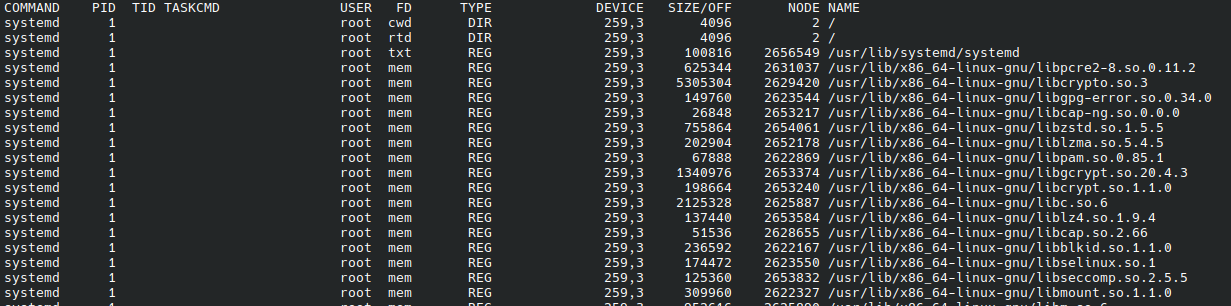
The default columns in the lsof output are:
- COMMAND. Name of the command/process using the file
- PID. The Process ID of the command
- USER. Owner of the process.The column contains the User ID or username.
- FD. The file descriptor the process uses to associate with the file.(e.g. cwd, txt, mem, or numbers like 3u)*
- TYPE. The file type and its identification number. (e.g. REG, DIR, CHR, FIFO, IPv4)**
- DEVICE. The Device identifier (major, minor number pair) related to the file.
- SIZE/OFF. Size or file offset in bytes
- NODE. Inode number of the file
- NAME. Name of the file or resource path (can include IP:port for sockets)
==================================================================
*
- cwd current working directory
- rtd root directory
- txt program text (code and data)
- mem memory-mapped file
**
TYPE – of files and it’s identification.
- DIR – Directory
- REG – Regular file
- CHR – Character special file.
- FIFO – First In First Out
==================================================================
2.2 List All Files Accessed by a User
sudo lsof -u sc
2.3 List files accessed by a process
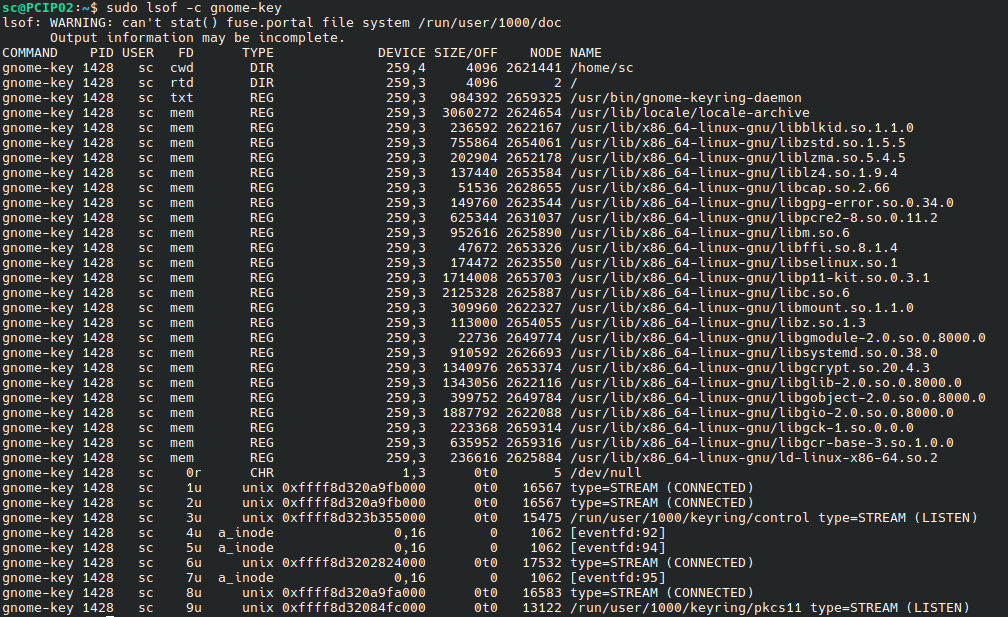
sudo lsof -c gnome-key -c option is equivalent to : sudo lsof | grep gnome-key
2.4. List all files accessed under a directory
sudo lsof +D /run/systemd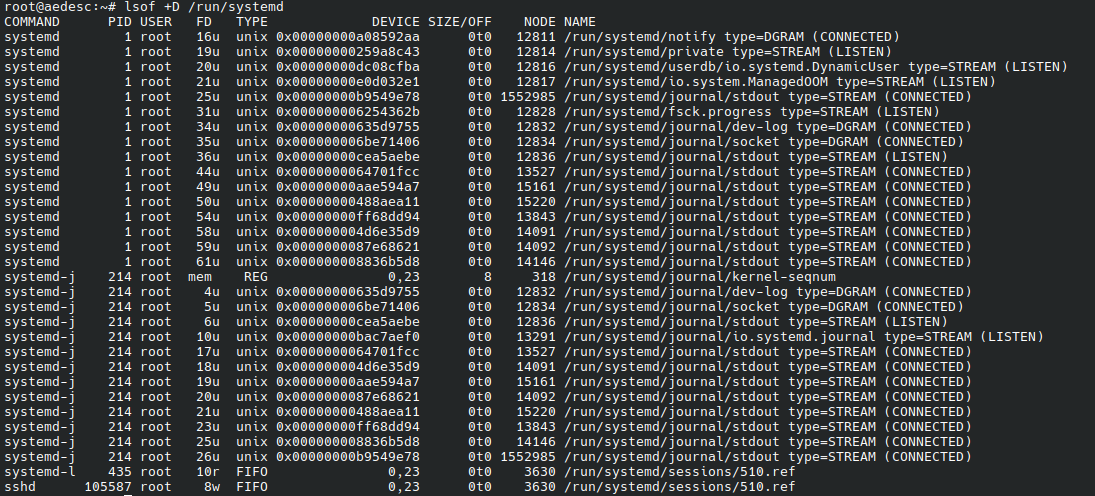
2.5 Show Files Accessed by Network Connections
sudo lsof -i- See files that use TCP or UDP connection by providing the protocol type:
sudo lsof -i [udp/tcp]
2. Find Processes Running on Specific Port
List processes running on a specific port number or name. We give the port number or the process name
sudo lsof -i :[port_number/name]example for port 6341 :
lsof -i TCP:6341
COMMAND   PID USER   FD   TYPE DEVICE SIZE/OFF NODE NAME
megasync 2080   sc   54u  IPv4  19806      0t0  TCP localhost:6341 (LISTEN)
The same command with the name of the ssh process :
sudo lsof -i :ssh
COMMAND PID USER   FD   TYPE DEVICE SIZE/OFF NODE NAME
systemd   1 root  193u  IPv4   8083      0t0  TCP *:ssh (LISTEN)
systemd   1 root  194u  IPv6   5993      0t0  TCP *:ssh (LISTEN)
3. List all files open on specific port range:
lsof -i TCP:1-10242.6 Exclude a user
Here, we can list all files opened except for users ab and root by adding the caret sign (^) before the usernames:
sudo lsof -u ^ab,^root | less- Files and commands opened by a user
lsof -i -u root
- Kill all processes of a specific user
sudo kill -9 $(sudo lsof -t -u ab)
2.7 The and operator for combining search options
according to man page3 we can combine multiple search terms :
The -a option may be used to AND the selections. For example, specifying -a, -U, and -ufoo produces a listing of only UNIX socket files that belong to processes owned by user ''foo''. Caution: the -a option causes all list selection options to be ANDed; it can't be used to cause ANDing of selected pairs of selection options by placing it between them, even though its placement there is acceptable. Wherever -a is placed, it causes the ANDing of all selection options.
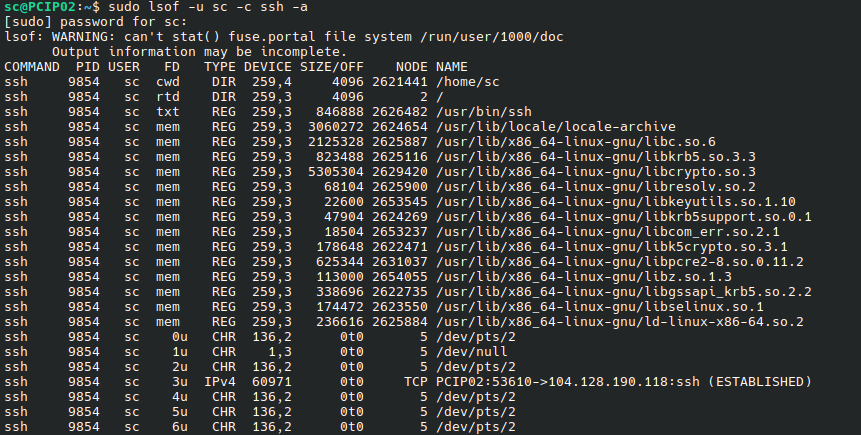
Example, list files that match both the first search term (user) and the second search term (process):
sudo lsof -u [username] -c [process] -a
sudo lsof -u sc -c ssh -a
About Me

aedes: The sanctuary in Latin language. This website is related to my fields of interrest...
Gallery




social




Translate








