To extend the sudo password timeout session on a Linux system, we need to modify the sudoers file. Example of a sudoers file that we have to modify :
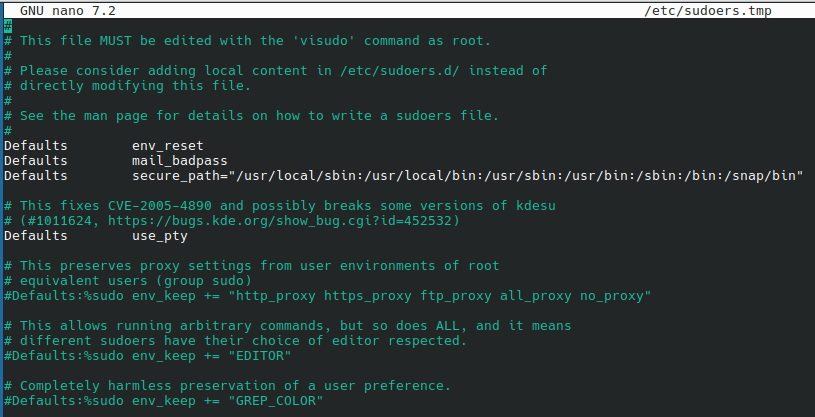
sudo visudoFind the line that begins with Defaults env_reset and add the timestamp_timeout option :
Defaults env_reset,timestamp_timeout=60Here the timeout is set to 60 minutes. If we want a sudo session to never expire (one login per session) :
Defaults env_reset,timestamp_timeout=-1We can also specify this setting for a particular user or group. For example, to set a 30-minute timeout for a user named ab:
Defaults:ab timestamp_timeout=30After making the changes, save the file and exit the editor. The method for saving and exiting for the editor visudo : press Esc, then type :wq and press Enter.
About Me

aedes: The sanctuary in Latin language. This website is related to my fields of interrest...
Gallery




social




Translate








