Cron allows us to run programs, commands and scripts at defined time or according to a schedule.
zeit is a Qt Gui to cron and its goal is to make creating cronjobs very easy.
Installation
On most Linux distros , zeit can be built from source after installing the following dependencies :
sudo apt install qtbase5-dev qttools5-dev libkf5auth-dev libkf5coreaddons-dev extra-cmake-modules libnotify-bin mpv
After downloading and extracting, and according to the official documentation, we can build from source with :
mkdir build && cd build
cmake ..
make -j2
./src/zeit
For debian-based distros :
#stable releases
sudo add-apt-repository ppa:blaze/main
sudo apt update
sudo apt install zeit
Use
Then , we can run the program
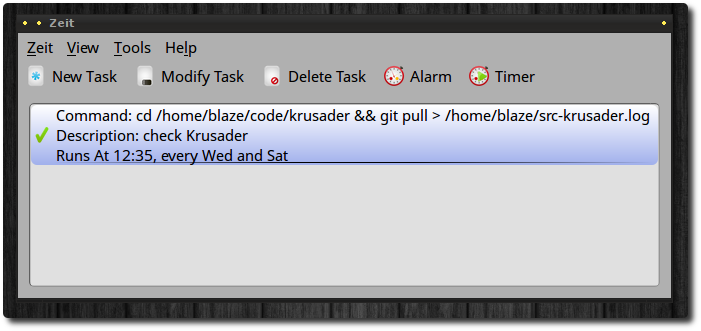
To add a task, click “Add Task” button. Enter a name for your task in the Description field. Type the command you want to schedule in the Command field.
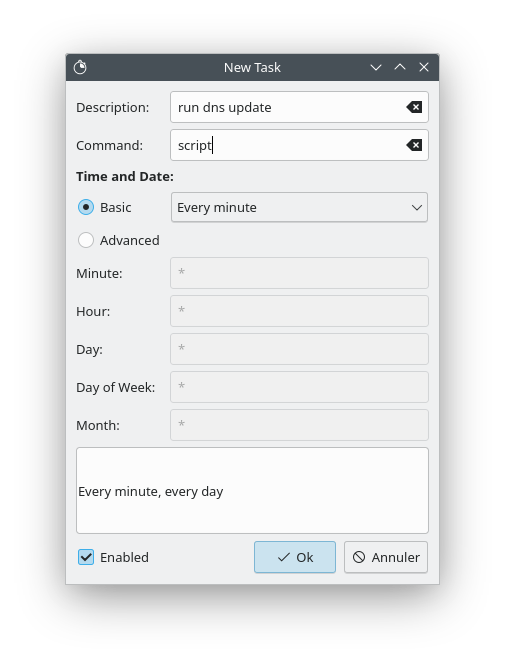
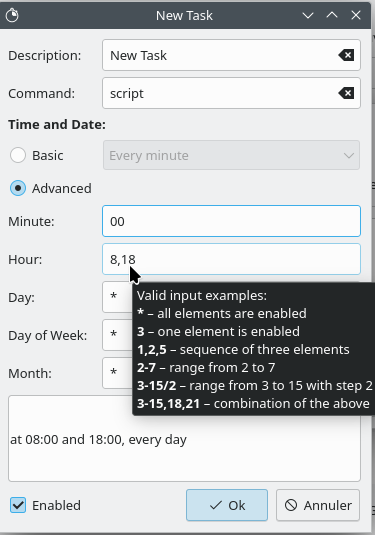
In the “Time and Date” section, we can select Basic to quickly schedule a task. The Advanced option allows to schedule more precise tasks, with minute, hour, day of the week, month. We can input more than one number, for example "8,18" will run the task at 8am and 6pm. Hovering the mouse above any of the fields will show a pop-up with list of crontab syntax.
Alarms and Timers
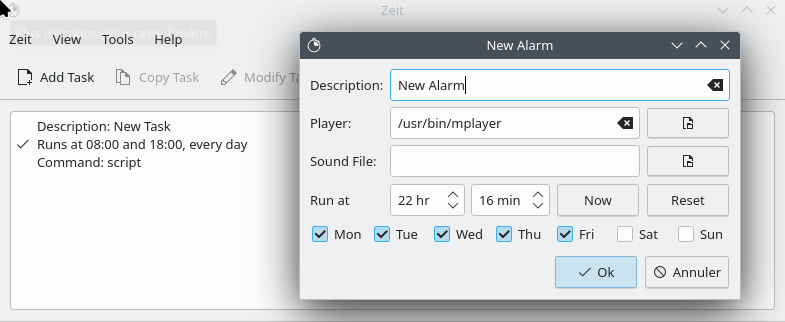
Another feature os zeitis to set up Alarms and Timers. It's easier than tasks since we just have to define the time and select the days when an Alarm or Timer will run.
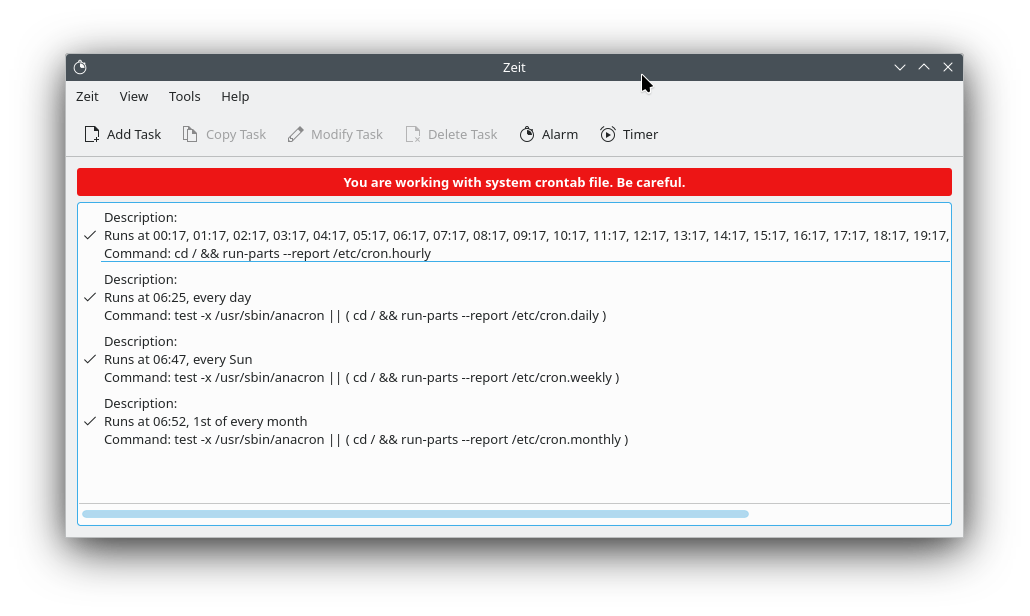
System Mode
The precedent task is only valid for the current user. To view system taks or create cronjobs system wide we can enable "System Mode " in the view menu.
About Me

aedes: The sanctuary in Latin language. This website is related to my fields of interrest...
Gallery




social




Translate








